# Software für den Amateurfunk
Einsatz von Software im Amateurfunk
# openwebrx Plus
eit Ende September 2023 ein sehr interessantes Programm als Docker Container.
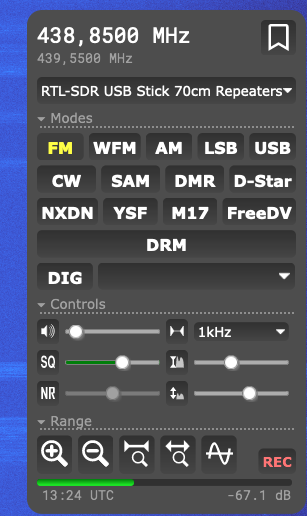
Erst habe ich das Projekt "openwebrx Plus" gefunden welches eine Erweiterung von "openwebrx" ist. Durch eine rechtliche Lizenzgeschichte wurden digitale Betriebsarten wie "DRM, YSF, D-Star etc." entfernt.
In der Regel können die digitalen Betriebsarten nachgerüstet werden. Dies benötigt einen USB-Dongle AMBE 3000 der ca. 100 Euro kostet. Für den reinen Empfang von digitalen Betriebsarten ist das schon ein sehr beachtlicher Preis. Die Lösung mit einer Software Emulation eines AMBE 3000 USB-Stick ist hingegen kostenfrei.
Quelle: [https://hub.docker.com/r/slechev/openwebrxplus-softmbe](https://hub.docker.com/r/slechev/openwebrxplus-softmbe)
Nun gibt es ein Docker Container der folgende Komponenten enthält:
- openwebrx ( Core )
- openwebrxplus ( Weiterentwicklung des Core )
- softmbe ( Software Emulation ohne AMBE 3000 USB-Dongle )
##### Screenshot: Aktivierte digitale Betriebsarten
[](https://wiki.unixweb.net/uploads/images/gallery/2023-11/openwebrx-plus-sofmbe-3.png)
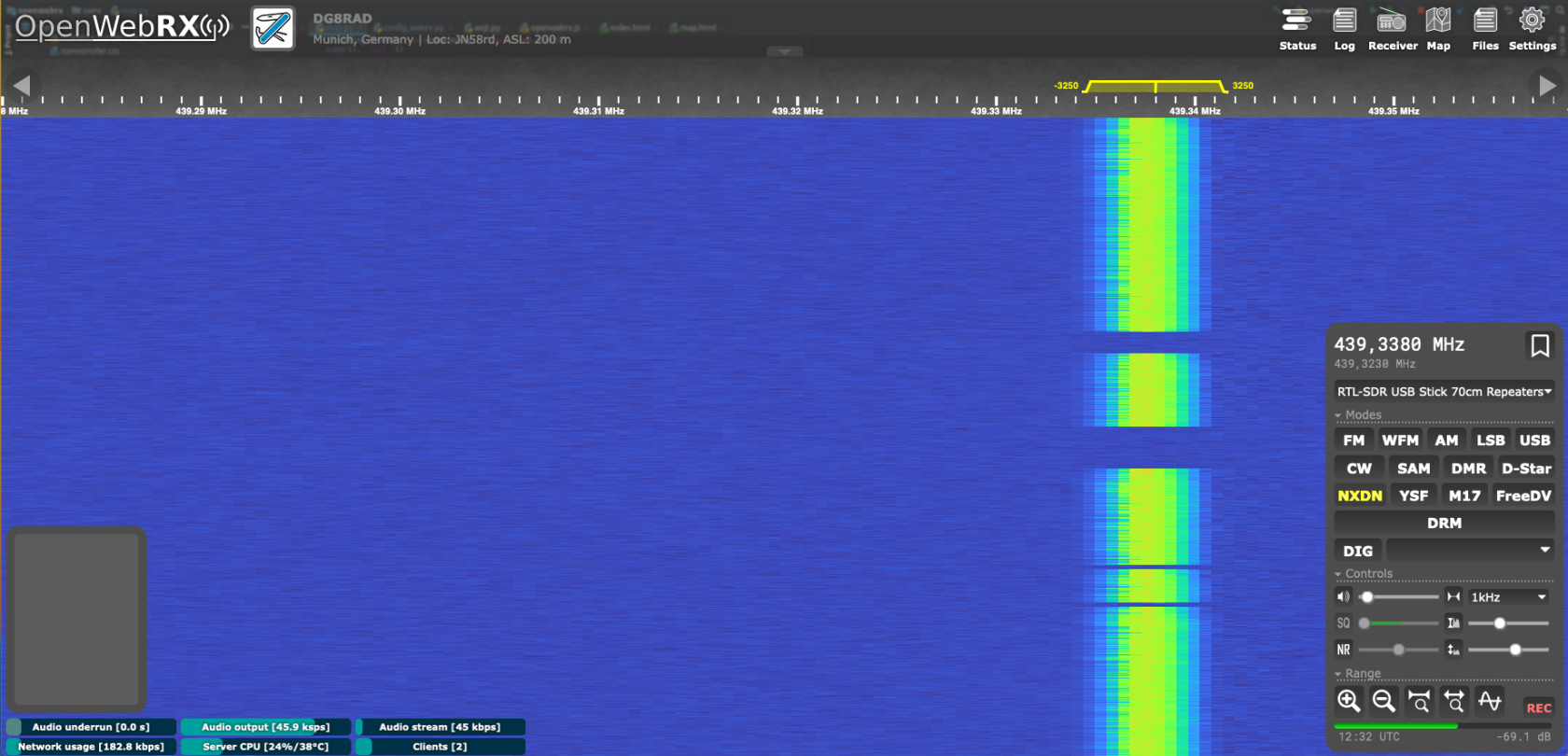
##### Sreenshot: Digitale Betriebsart - NXDN
[](https://wiki.unixweb.net/uploads/images/gallery/2023-11/openwebrx-plus-sofmbe-1.png)
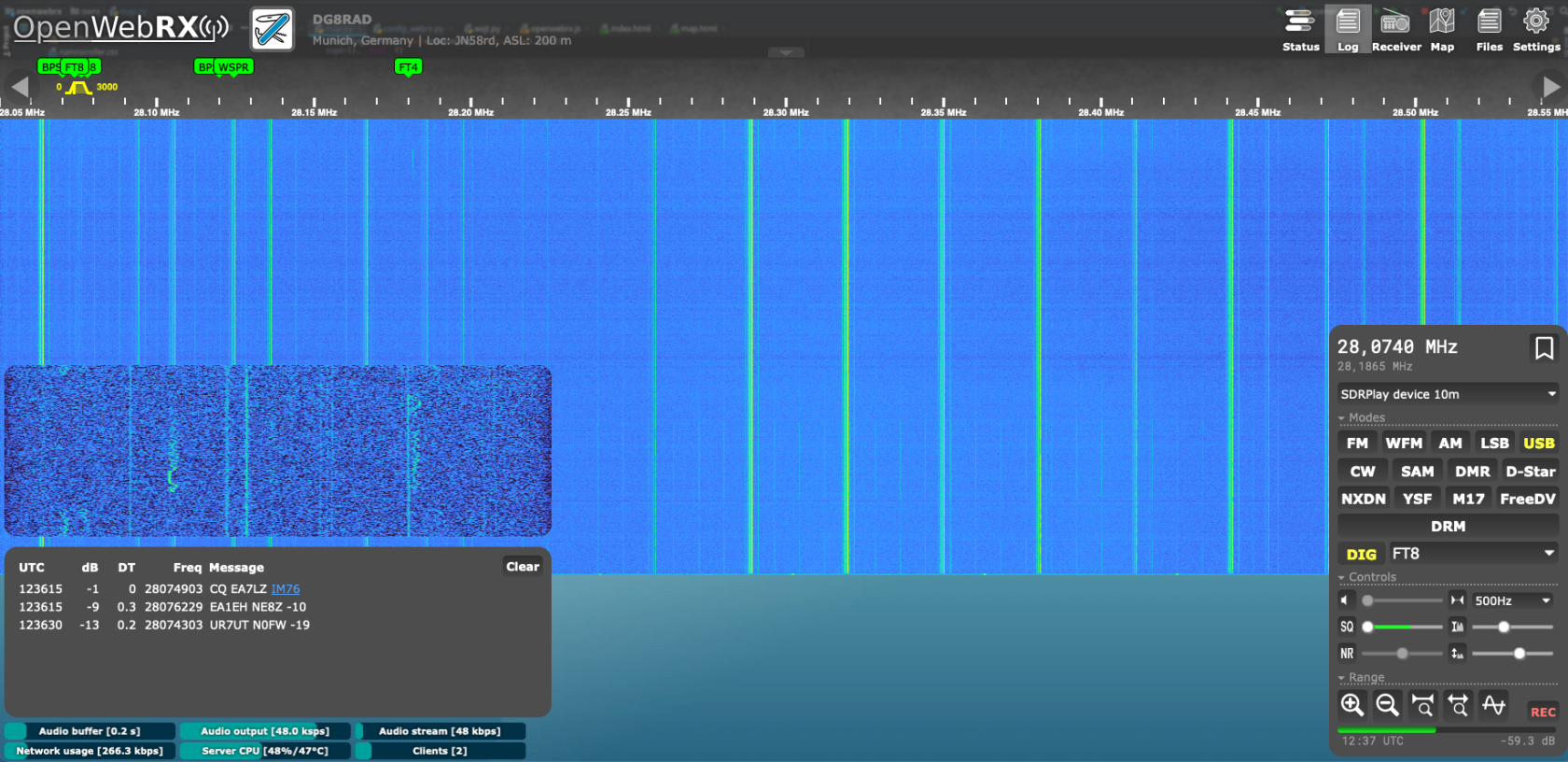
##### Screenshot: Empfang von FT8 mit Dekodierung
[](https://wiki.unixweb.net/uploads/images/gallery/2023-11/openwebrx-plus-sofmbe-2.png)
In dieser Version ist eine "REC" Aufnahme Funktion eingebaut. Beim aktivieren wird eine MP3 Datei erstellt von der aktuellen Frequenz. Nach dem beenden wird die Datei automatisch im Browser heruntergeladen.
Eine Hörprobe über DB0ZU:
#### Installation :
```bash
# Create Volumes
docker volume create owrxp-settings
docker volume create owrxp-etc
# Run container in Background
docker run -d --name owrxp --device /dev/bus/usb -p 8073:8073 -v owrxp-settings:/var/lib/openwebrx -v owrxp-etc:/etc/openwebrx --restart unless-stopped --privileged -v /dev/bus/usb slechev/openwebrxplus-softmbe
# add admin user (on another shell)
docker exec -it owrxp python3 openwebrx.py admin adduser [username]
```

# FM-Funknetz SVXLink
9# – trennt Reflektorverbindung
9\*# – Sprechgruppen-Status
90# – Noch nicht implementiert. Reserviert für Hilfefunktion.
91# – Wähle die vorherige Sprechgruppe
91\[TG\]# – Wählt Sprechgruppe TG#
92# – QSY alle aktiven Teilnehmer zu einer vom Server bestimmten Sprechgruppe wechseln.
92\[TG\]# – QSY aller aktiven Teilnehmer zur TG#
93# – Wiederhole letztes QSY
94\[TG\]# – Höre temporär auf TG# bzw. füge diese zeitbefristet den Monitor-TGs hinzu
[https://wiki.fm-funknetz.de/doku.php?id=start](https://wiki.fm-funknetz.de/doku.php?id=start "FM-Funknetz Wiki")
[https://dashboard.fm-funknetz.de/](https://dashboard.fm-funknetz.de/)
# Amateurfunk Relais/Hotspots in der Region München
Inzwischen gibt es mehrere verschiedene Zugänge
DBØULR
München / DEBA
FM/NXDN
145,575 MHz
- 0,6 MHz
123 Hz
DBØULR
München / DEBA
FM/NXDN
439,325 MHz
- 7,6 MHz
123 Hz
TG 888
DBØNJ
München
FM
438,775 MHz
- 7,6 MHz
DBØNJ
München
DMR
439,4375 MHz
- 7,6 MHz
DBØROL
München / Fürstenried
FM/C4FM
439,2375 MHz
- 7,6 MHz
DBØPV
München
FM/C4FM
438,525 MHz
-7,6 MHz
Mit Wires-X
DBØBZA
München / Freimann
FM/C4FM
438,4125 MHz
- 7,6 MHz
Pegasus Sprachraum
DBØOSH
München/ Oberscheißheim
FM/C4FM
438,250 MHz
- 7,6 MHz
Pegasus Sprachraum
DBØPUC
München / Puchheim
FM/DMR
439,950 MHz
- 9,5 MHz
DBØTVM
München
DMR
439,800 MHz
- 7,6 MHz
# Linksammlung für SVXLink
[https://github.com/sm0svx/svxlink-sounds-en\_US-heather/releases/tag/24.02](https://github.com/sm0svx/svxlink-sounds-en_US-heather/releases/tag/24.02)
[https://fm-funknetz.de/svxlink-installieren/](https://fm-funknetz.de/svxlink-installieren/)
```
[ReflectorLogic]
TYPE=ReflectorV2
DNS_DOMAIN=fm-funknetz.de
#HOSTS=reflector.example.com
#HOSTS_PORT=5300
CALLSIGN="XXXXX"
AUTH_KEY="XXXXX"
#JITTER_BUFFER_DELAY=0
DEFAULLT_TG=262
TG_SELECT_TIMEOUT=60
ANNOUNCE_REMOTE_MIN_INTERVAL=300
EVENT_HANDLER=/usr/share/svxlink/events.tcl
## die Node_info.json bitte aktivieren für die Livekarte https://livemap.fm-funknetz.de
NODE_INFO_FILE=/etc/svxlink/node_info.json
MUTE_FIRST_TX_LOC=0
MUTE_FIRST_TX_REM=0
TMP_MONITOR_TIMEOUT=3600
UDP_HEARTBEAT_INTERVAL=15
QSY_PENDING_TIMEOUT=15
MONITOR_TGS=2627,2628,2629,26426,777,880,888,975,986,882,1080+,1262+
```
```
sudo groupadd svxlink
sudo useradd -g svxlink -d /etc/svxlink svxlink
sudo usermod -aG audio,nogroup,svxlink,plugdev svxlink
sudo usermod -aG gpio svxlink
sudo apt install g++ make libsigc++-2.0-dev libgsm1-dev libpopt-dev tcl-dev libgcrypt-dev libspeex-dev i2c-tools libi2c-dev libasound2-dev alsa-utils git make libjsoncpp-dev libopus-dev gpiod libgpiod-dev librtlsdr-dev alsa-utils vorbis-tools curl libcurl4-openssl-dev rtl-sdr libjsoncpp-dev rtl-sdr libcurl4-openssl-dev libogg-dev librtlsdr-dev groff doxygen graphviz python3-serial libssl-dev -y
git clone https://github.com/sm0svx/svxlink
mkdir svxlink/src/build
cd svxlink/src/build
cmake -DUSE_QT=OFF -DCMAKE_INSTALL_PREFIX=/usr -DSYSCONF_INSTALL_DIR=/etc -DLOCAL_STATE_DIR=/var -DWITH_SYSTEMD=ON ..
# make -j4 works not on all machines
make -j4
sudo make install
sudo ldconfig
```
```
#!/bin/bash
# Führe Befehl als Benutzer svxlink aus
sudo -u svxlink /usr/local/bin/svxlink_command
sudo -u svxlink ln -s /etc/svxlink/remote/simplex_dtmf_ctrl /tmp/dtmf_svx
alsactl -f /etc/asound.state.store.card1 restore 1 # /etc/rc.local
# [SimplexLogic]
# svxlink.conf:DTMF_CTRL_PTY=/etc/svxlink/remote/simplex_dtmf_ctrl
```